PRO
Get more leads,
win more work
Get more leads,
win more work
Get more leads,
win more work
Get more leads,
win more work
Rank higher in search and client recommendations
Rank higher in search and client recommendations
Access Pro-only leads and appear in InstantMatch results
Access Pro-only leads and appear in InstantMatch results
Keep 100% of your payouts with 0% platform fees
Keep 100% of your payouts with 0% platform fees







Plans and features
Save 50% annually
Pay annually
Pay monthly
Lite
$4/
mo, billed yearly
Introduce your work to the world.
Everything in Free
Enhanced profile layout
Lite search ranking boost
Receive leads & send proposals
Offer up to 3 Services
Portfolio website
Most Popular
Standard
$8/
mo, billed yearly
Reach more clients and grow your business.
Everything in Pro Lite
Standard search ranking boost
0% Designer Platform Fee on payouts
Appear in Recommendations & InstantMatch
30 Project Brief credits / month
Boosted Shot credit ($30/mo)
NEW
3 team seats
Advanced analytics
Pro Badge
Message read receipts
NEW
Best for Agencies
Plus
$99/
mo, billed yearly
Maximize lead flow and waive client fees.
Everything in Pro Standard
Plus search ranking boost
0% Client Platform Fee
Ranking boost in Recommendations & InstantMatch
300 Project Brief credits / month
Boosted Shot credit ($300/mo)
NEW
10 team seats
Assisted onboarding
Upload & tagging support
VIP customer support
Featured Project Brief proposals
NEW
Plans and features
Save 50% annually
Pay annually
Pay monthly
Lite
$4/
mo, billed yearly
Introduce your work to the world.
Everything in Free
Enhanced profile layout
Lite search ranking boost
Receive leads & send proposals
Offer up to 3 Services
Portfolio website
Most Popular
Standard
$8/
mo, billed yearly
Reach more clients and grow your business.
Everything in Pro Lite
Standard search ranking boost
0% Designer Platform Fee on payouts
Appear in Recommendations & InstantMatch
30 Project Brief credits / month
Boosted Shot credit ($30/mo)
NEW
3 team seats
Advanced analytics
Pro Badge
Message read receipts
NEW
Best for Agencies
Plus
$99/
mo, billed yearly
Maximize lead flow and waive client fees.
Everything in Pro Standard
Plus search ranking boost
0% Client Platform Fee
Ranking boost in Recommendations & InstantMatch
300 Project Brief credits / month
Boosted Shot credit
($300/mo)
NEW
10 team seats
Assisted onboarding
Upload & tagging support
VIP customer support
Featured Project
Brief proposals
NEW
Plans and features
Save 50% annually
Pay annually
Pay monthly
Lite
$4/
mo, billed yearly
Introduce your work to the world.
Everything in Free
Enhanced profile layout
Lite search ranking boost
Receive leads & send proposals
Offer up to 3 Services
Portfolio website
Most Popular
Standard
$8/
mo, billed yearly
Reach more clients and grow your business.
Everything in Pro Lite
Standard search ranking boost
0% Designer Platform Fee on payouts
Appear in Recommendations & InstantMatch
30 Project Brief credits / month
Boosted Shot credit ($30/mo)
NEW
3 team seats
Advanced analytics
Pro Badge
Message read receipts
NEW
Best for Agencies
Plus
$99/
mo, billed yearly
Maximize lead flow and waive client fees.
Everything in Pro Standard
Plus search ranking boost
0% Client Platform Fee
Ranking boost in Recommendations & InstantMatch
300 Project Brief credits / month
Boosted Shot credit ($300/mo)
NEW
10 team seats
Assisted onboarding
Upload & tagging support
VIP customer support
Featured Project Brief proposals
NEW
The world's leading brands find designers on Dribbble
The world's leading brands find designers on Dribbble





Compare Plans
Free
$0
Get Started
Lite
$4/month, billed yearly
Standard
$8/month, billed yearly
Plus
$99/month, billed yearly
Lead Generation
Receive client leads
Send client proposals
Offer services
Number of services
1
3
25
50
Search ranking boost
Lite
Standard
Plus
Appear in Recommendations
& InstantMatch
Ranking boost in
Recommendations & InstantMatch
Access to Project Briefs
Project Brief credits
(monthly plans)
15/mo
150/mo
Project Brief credits
(annual plans)
30/mo
300/mo
Featured Project Brief proposals
Boosted Shot credit
(monthly plans)
$150/mo
Boosted Shot credit
(annual plans)
$30/mo
$300/mo
Advanced analytics
Google Analytics tracking
Import reviews
Message read receipts
Profile & Shots
Upload & publish Shots
Shot upload limit
(per day)
10
15
25
50
Enhanced profile layout
Personal website (Playbook)
Intro video (Pitch)
Pro badge
Shot scheduling
Ad-free browsing
Create team account
Team seats
3
10
Projects & Payouts
0% Designer Platform Fee
(annual only)
0% Client Platform Fee
(annual only)
Early payout after project completion
Set meeting availability
Google Calendar sync
Exclusive Benefits
Early access to new features
Partner offers & perks
Onboard & Support
Skip designer application process
Assisted onboarding
Shot upload & tagging service
VIP customer support
Compare Plans
Free
$0
Get Started
Lite
$4/month, billed yearly
Standard
$8/month, billed yearly
Plus
$99/month, billed yearly
Lead Generation
Receive client leads
Send client proposals
Offer services
Number of services
1
3
25
50
Search ranking boost
Lite
Standard
Plus
Appear in Recommendations
& InstantMatch
Ranking boost in
Recommendations & InstantMatch
Access to Project Briefs
Project Brief credits
(monthly plans)
15/mo
150/mo
Project Brief credits
(annual plans)
30/mo
300/mo
Featured Project Brief proposals
Boosted Shot credit
(monthly plans)
$150/mo
Boosted Shot credit
(annual plans)
$30/mo
$300/mo
Advanced analytics
Google Analytics tracking
Import reviews
Message read receipts
Profile & Shots
Upload & publish Shots
Shot upload limit
(per day)
10
15
25
50
Enhanced profile layout
Personal website (Playbook)
Intro video (Pitch)
Pro badge
Shot scheduling
Ad-free browsing
Create team account
Team seats
3
10
Projects & Payouts
0% Designer Platform Fee
(annual only)
0% Client Platform Fee
(annual only)
Early payout after project completion
Set meeting availability
Google Calendar sync
Exclusive Benefits
Early access to new features
Partner offers & perks
Onboard & Support
Skip designer application process
Assisted onboarding
Shot upload & tagging service
VIP customer support
Free
$0
Lite
$4/mo
Standard
$8/mo
Plus
$99/mo
Lead Generation
Receive client leads
Send client proposals
Offer services
Number of services
25
Search ranking boost
Standard
Appear in Recommendations
& InstantMatch
Ranking boost in
Recommendations & InstantMatch
Access to Project Briefs
Project Brief credits
(monthly plans)
15/mo
Project Brief credits
(annual plans)
30/mo
Featured Project Brief proposals
Boosted Shot credit
(monthly plans)
Boosted Shot credit
(annual plans)
$30/mo
Advanced analytics
Google Analytics tracking
Import reviews
Message read receipts
Profile & Shots
Upload & publish Shots
Shot upload limit
(per day)
25
Enhanced profile layout
Personal website (Playbook)
Intro video (Pitch)
Pro badge
Shot scheduling
Ad-free browsing
Create team account
Team seats
3
Projects & Payouts
0% Designer Platform Fee
(annual only)
0% Client Platform Fee
(annual only)
Early payout after project completion
Set meeting availability
Google Calendar sync
Exclusive Benefits
Early access to new features
Partner offers & perks
Onboard & Support
Skip designer application process
Assisted onboarding
Shot upload & tagging service
VIP customer support
Everything you need to grow your business
Features that help you stand out, get discovered, and win more work.
Features that help you stand out, get discovered, and win more work.
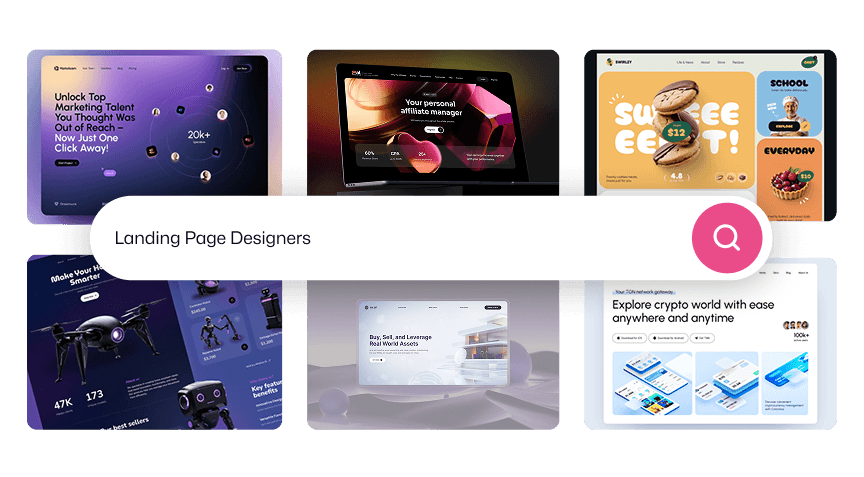
Higher Search Rankings
Get your work, services, and profile in front of clients searching for design help.

No fees on payouts
Receive 100% of your project payouts with no platform fees.
Matched with Clients
Appear in InstantMatch results for clients looking for design and development help.
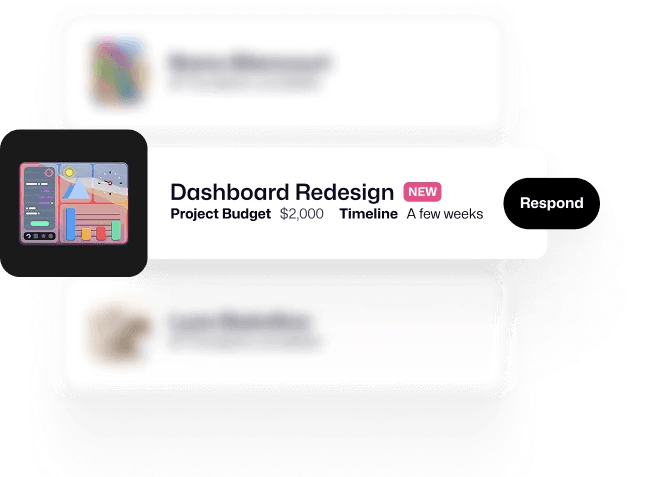
Exclusive Project Briefs
Access exclusive project briefs available only to Pro designers.



Enhanced Profile Features
Stand out with a pitch video, customizable sections, and specific service callouts.
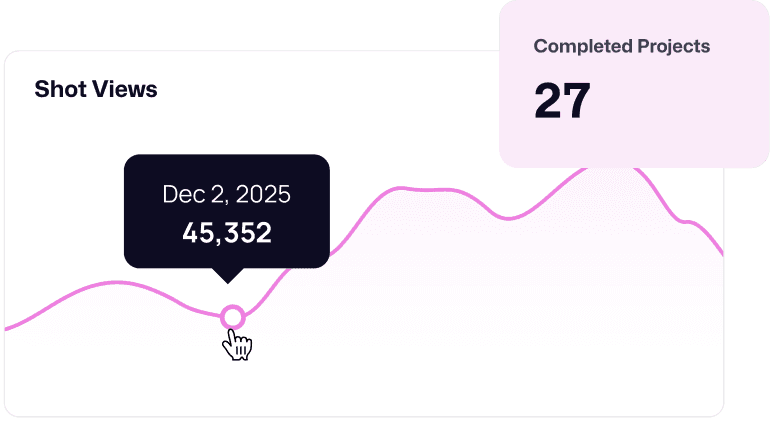
Advanced Analytics
Track views, engagement, and client activity to understand your audience.
Higher Search Rankings
Get your work, services, and profile in front of clients searching for design help.
No fees on payouts
Receive 100% of your project payouts with no platform fees.
Matched with Clients
Appear in InstantMatch results for clients looking for design and development help.
Exclusive Project Briefs
Access exclusive project briefs available only to Pro designers.
Enhanced Profile Features
Stand out with a pitch video, customizable sections, and specific service callouts.
Advanced Analytics
Track views, engagement, and client activity to understand your audience.
And get even more with exclusive partner perks.
And get even more with exclusive partner perks.

Unlock premium creative assets from Shutterstock
Unlock premium creative assets from Shutterstock
Get 25% off your first Shutterstock purchase and power your next project.
Get 25% off your first Shutterstock purchase and power
your next project.

Get 6 months of Paperform Agency+ free
Get 6 months of
Paperform Agency+ free
Get 6 months of Paperform Agency+ free
Create forms, surveys, applications, and workflows without code.
See real results from Pro
More visibility, more leads, more earnings — all from one simple subscription.
More visibility, more leads, more earnings — all from one simple subscription.
22x more visibility
22x more visibility
22x more visibility
Your work and profile get surfaced to more clients, more often.
10x more leads
10x more leads
10x more leads
More exposure converts directly into more real client inquiries.
3x more earnings
3x more earnings
3x more earnings
Pros earn significantly more on each project they land.
Dribbble Pro turned my shots into a genuine client magnet. The added exposure gave my product UI work the visibility it needed, helping me land multiple high-value projects.
I also love how fair the platform feels — presenting case studies and multi-shot work in one clean place makes it easier for clients to understand my process and trust me for long-term work.

Can Aydın
Interface Designer
Pro has become one of our most reliable ways to be discovered. It consistently brings us clients who value good design and collaborative partnerships.

Victoria Grinevich
Managing Director, DigiCo
Four years in, Pro still helps us land great clients and new opportunities — it's truly been a game changer.

Skilline Design Co.
Illustration & Branding Studio
We consistently attract high-quality clients through Dribbble, and it remains our most dependable source of leads.

QClay
Global Design Agency
Designed to grow with you.
Designed to grow with you.
Choose a Pro plan that fits your goals. From independent creatives to growing agencies.
Choose a Pro plan that fits your goals. From independent creatives to growing agencies.
Save 50% annually
Pay annually
Pay monthly
Most Popular
Best for Agencies
Save 50% annually
Pay annually
Pay monthly
Most Popular
Best for Agencies
Save 50% annually
Pay annually
Pay monthly
Most Popular
Best for Agencies
FAQ
FAQ
FAQ
Will Pro give my profile more visibility and help my work get more exposure?
Yes. Every Pro plan increases how often your profile and shots appear across Dribbble — including feeds, Shot Search, Service Search, and Designer Search — so more people can discover your work. With Pro, your portfolio gets significantly stronger visibility, helping it stand out and get seen faster.
How does Pro help turn visibility into real client leads?
Is Dribbble Pro built for agencies and teams?
How do I know whether Pro Lite, Standard, or Plus is right for me?
Why does Dribbble offer three different Pro plans?
I’ve been a Pro member for years — why should I upgrade to Pro Plus?
What’s the ROI of Pro — can it really pay for itself?
Can I cancel my subscription or switch plans after I purchase?
Still have more questions? Learn more in our Help Center.