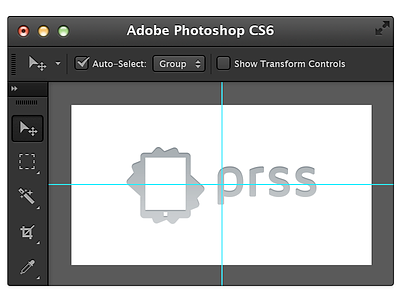
Photoshop Mini @2x

1 Attachment

14 Responses

  1. Pro Jip Jip

    I've made a Retina mini Photoshop to use on future projects and I thought it would be cool to share the PSD with you guys!

    Info: inside the psd is a smart object which contains the photoshop canvas... Be free to play with it, would appreciate some credits when you use it on your website or whatever :-)

    likes

    4 months ago

  2. Alex Wright Alex Wright

    This is fantastic, @Jip! Thanks :)

    likes

    4 months ago

  3. Pro Christophe Tauziet Christophe Tauziet

    Very cool!

    likes

    4 months ago

  4. Pro Bert Devriese Bert Devriese

    Cool, thanks!

    likes

    4 months ago

  5. Pro Eduardo Santos Eduardo Santos

    I really like this @Jip. Well done.

    likes

    4 months ago

  6. Iqbal Perkasa Iqbal Perkasa

    Very wow! And thanks.

    likes

    4 months ago

  7. Pro Falko Joseph Falko Joseph

    & Half the price.

    Btw, what's the font for prss called?

    likes

    4 months ago

  8. Pro Julia Khusainova Julia Khusainova

    Love the UI! Beautiful work @Jip

    likes

    4 months ago

  9. Pro Jip Jip

    Thanks all!
    @Falko Joseph the used font is Maven Pro

    likes

    4 months ago

  10. Ari Ari

    Great idea :)

    likes

    4 months ago

  11. Pro Eli Schiff Eli Schiff

    Well done! Quick nitpick on the presentation. The layer with the outer stroke in the main PSD should be shifted right one pixel so you don't have the blurry edge and corner like so: http://d.pr/i/fhdm

    likes

    4 months ago

  12. Pro Jip Jip

    @Eli Schiff damn, my fault... Will update the PSD so it's pixel perfect, probably something went wrong when upscaling to retina :S thanks for pointing it out!

    likes

    4 months ago

  13. Pro Eli Schiff Eli Schiff

    No problem! It's a great resource.

    likes

    4 months ago

  14. Made another one for the new Prss website and love to share it with you guys :) This time it's a Xcode dummy for all you iOS dev lovers out there. Enjoy!!

    4 months ago

keyboard shortcuts: previous shot next shot L or F like