@Jacob Cass - I'm having troubles replicating, could be due to the fact that I am too lazy to clear my cache to replicate, but I can tell you what I did. I clicked on an image (one of the main picture images) Hit next a few times, closed it then when I clicked on menu, it appeared with no effect, went up and then back down. I'm using Chrome Windows 8 Version: Version 23.0.1271.64 m
@Jacob Cass - Also make sure your team disables multiple clicks on the navbar links. Once pressed disable, if you rapid fire on those, you can all sorts of interesting effects. Cheers!
@Ty You really trying to break it now hey ;) Not sure if a user is going to rapid fire on lots of menu items. I even find it hard to as the dark BG comes up so quickly.
@Jacob Cass - Just acting as a "user" and well all know "users" are dumb. ;) Only mention it as that may have played a part in how I noticed the issue in the first place.
14 Responses
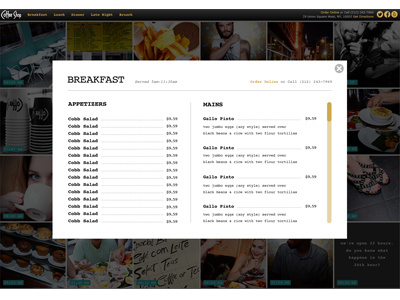
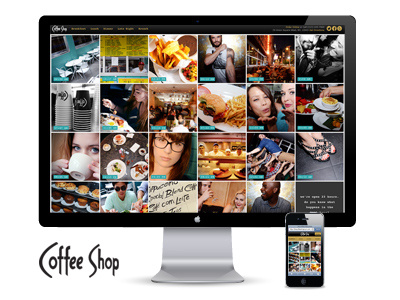
Menu in a lightbox for the Coffee Shop Restaurant website.
Visit the site here:
http://thecoffeeshopnyc.com/
Designed & developed at Ammirati.
7 months ago
@Jacob Cass - well not to critique the design, but the menu loads hides and then shows again. I'd take a look at your code if I were you! Cheers
7 months ago
@Ty Hmmm, well it didn't for me (I'm in Safari 6.0.2).
Big fan of your work @Jacob Cass - you've been quite an inspiration to me throughout setting up as a freelance designer/developer so thanks!
7 months ago
@Ty
Can you let me know what browser + version you are using? We didn't come across this problem during QA. Thanks!
@Luke Etheridge
Cheers bud, keep at it!
7 months ago
@Jacob Cass - I'm having troubles replicating, could be due to the fact that I am too lazy to clear my cache to replicate, but I can tell you what I did. I clicked on an image (one of the main picture images) Hit next a few times, closed it then when I clicked on menu, it appeared with no effect, went up and then back down. I'm using Chrome Windows 8 Version: Version 23.0.1271.64 m
7 months ago
@Ty
I've passed it onto the team to have a look, I couldn't replicate it either.
7 months ago
@Jacob Cass - Also make sure your team disables multiple clicks on the navbar links. Once pressed disable, if you rapid fire on those, you can all sorts of interesting effects. Cheers!
7 months ago
@Ty You really trying to break it now hey ;) Not sure if a user is going to rapid fire on lots of menu items. I even find it hard to as the dark BG comes up so quickly.
7 months ago
@Jacob Cass - Just acting as a "user" and well all know "users" are dumb. ;) Only mention it as that may have played a part in how I noticed the issue in the first place.
7 months ago
@Ty
Yup, none the less. Let the team know, thanks!
7 months ago
I get this on Chroem, OSX - preview
7 months ago
@kailoon I am not seeing the problem there? There is a fixed header if that is what you are talking about?
7 months ago
@Jacob Cass Not sure if this shot is just an example for the Breakfast menu but here is the differences - Preview
The 'real' menu in chrome, OSX looks mess up :(
7 months ago
@Kailoon
The menu has been altered since the original PSD which is why you are seeing differently.
7 months ago