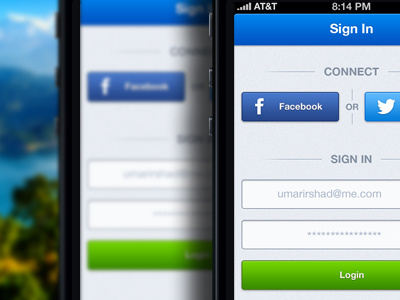
Login - Haraj iOS App

10 Responses

  1. Pro Umar Irshad Umar Irshad

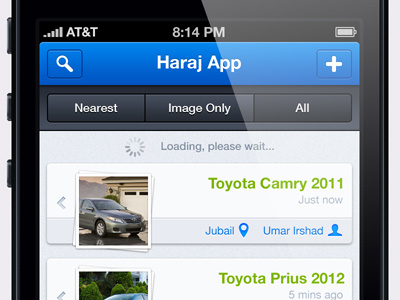
    Login page for Haraj App I am working on, app is almost complete. Again, just like the previous shot, the contents are right to left because the app is primarily for Saudi Arabian users and may contain Arabic as well.
    8 months ago

  2. Adrien Rochet Adrien Rochet

    Looks great but I think the text on button are maybe too small for retina displays.

    likes

    8 months ago

  3. Sergey Simanov Sergey Simanov

    @Umar Irshad Nice! but may by "Done" button move up 1 pixel

    likes

    8 months ago

  4. Pro Umar Irshad Umar Irshad

    @Adrien Rochet @Sergey Simanov Will do :) thanks!

    likes

    8 months ago

  5. Pro David Kovalev David Kovalev

    sweet job. I'd get rid of the lines beside the "or"... seems like too many lines with "sign in" and "connect"

    likes

    8 months ago

  6. Ulrik Stoch Jensen Ulrik Stoch Jensen

    Really nice looking!
    But do you need a Login button, when you press the OK button on the keyboard? The same could also apply for the "Done" button, because when you press OK after entering the password, you shouldn't have to tap Done or Login because you probably want to keep the tap-count as low as possible.

    likes

    8 months ago

  7. Pro Avinash Tripathi Avinash Tripathi

    absolutely too many lines are sometimes so distracting. may be sweet space between groups can help you solve this :)

    Awesome stuff as always

    likes

    8 months ago

  8. Pro Aleksandar Djuric Aleksandar Djuric

    Well designed buttons man.

    likes

    8 months ago

  9. Pro Umar Irshad Umar Irshad

    @Ulrik Stoch Jensen Well, the Login button is needed because sometimes you gotta edit the username or password after pressing OK. On the other hand the Done button is currently a dummy, I am yet to be provided with the info about what will actually be there. Also there's a possibility of using the app without logging in so perhaps that dummy "done" button might be to skip logging in or signing up.

    @David Kovalev @Avinash Tripathi Will take care of it :)

    likes

    8 months ago

  10. Pro Tji Sousa Tji Sousa

    Great buttons!

    likes

    8 months ago

keyboard shortcuts: previous shot next shot L or F like