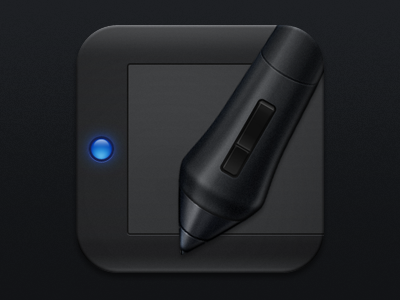
Wacom iOS Icon

Wacom

1 Attachment

30 Responses (page 1 of 2)

  1. Pro Prekesh Chavda Prekesh Chavda

    I made this last night around 1am. Practice I guess, I don't like working with black and well I think this helped. I'm not 100% on the colours/contrast etc since I haven't seen them on my iMac yet. :)

    likes

    9 months ago

  2. Dominique Torfs Dominique Torfs

    Looks sweet to me! The only thing bothering me is that the led light isn't glowing enough imo. But that's just me! Love the stylus :).

    likes

    9 months ago

  3. Pro Andrea Cau Andrea Cau

    Love it so much!

    likes

    9 months ago

  4. Pro Dan Matutina Dan Matutina

    Lovely! :D

    likes

    9 months ago

  5. James Shaw James Shaw

    Great icon. :)

    likes

    9 months ago

  6. Pro Mike Stezycki Mike Stezycki

    Holy hell, Prekesh! This is awesome, love it.

    likes

    9 months ago

  7. Al ☯ Power Al ☯ Power

    nice. its very dark though. should probably introduce some colour to define the pens shape a bit more. very nice though!

    likes

    9 months ago

  8. Pro Prekesh Chavda Prekesh Chavda

    @Al ☯ I've got the ☯ Power I just checked it on my iMac and yes its dark, although it looks fine on my iPhone. Try looking at it on your iPhone or iPad? I want to have some highlights from the light but it didn't work. I'll try again later :)

    9 months ago

  9. Pro Mateusz Dembek Mateusz Dembek

    For me looks good :) but why u put blue dot on this tablet? :>

    9 months ago

  10. Pro Prekesh Chavda Prekesh Chavda

    @Mateusz Dembek well my tablet has a blue light that's on when the thing is connected and it gets brighter when you draw. and other tablets have lights that do similar things so to generalise I just drew a generic LED thing :3

    likes

    9 months ago

  11. Pro Deep Shah Deep Shah

    I think the LED is too round, looks like a pressable button or a pre-Leopard OS X UI element with a bit of glow. The pen could be thinner as well, it's too prominent right now. Also, the shadows are off... lots of them on the pen but not many on the tablet itself.

    likes

    9 months ago

  12. Craig Keller Craig Keller

    maybe add a little noise. my intuos4 isnt smooth like that.

    9 months ago

  13. Pro Prekesh Chavda Prekesh Chavda

    @Craig Keller I did, but it's probably too subtle in this scaled down view. look at the attachment... it's still subtle there

    9 months ago

  14. Vincent Vincent

    Looks nice, but isn't the pen a little big compared to the wacom?
    Do you have your pen infront of your eye when using it? ;)

    9 months ago

  15. Pro Prekesh Chavda Prekesh Chavda

    @Vincent yes, it's much bigger, i didn't want it to be to scale.

    9 months ago

  16. Monsters'Lab Monsters'Lab

    Lovely!

    9 months ago

  17. Ari Ari

    @Prekesh Chavda What did you design this on? Looks amazing.

    9 months ago

  18. Pro Jackie Saik Jackie Saik

    I know you use a grey Nib Prk

    9 months ago

  19. Pro Alex Parker ⇢ ☁ Alex Parker ⇢ ☁

    You just championed the tablicon

    9 months ago

  20. 9 months ago

  21. Pro Darian Edwards Darian Edwards

    I like this a lot. The stylus is a little chunky though :)

    9 months ago

  22. NetwoGard NetwoGard

    Wow mister @Prekesh Chavda I need this !! Awsum job on the pen !

    9 months ago

  23. Dapo Olaopa Dapo Olaopa

    IMHO The stylus is too too thick. But otherwise, great icon!

    9 months ago

  24. Pro Stanislav Hristov Stanislav Hristov

    Awesome work man!
    Congrats! :)

    9 months ago

  25. ♜ Monsieur Didi ♜ ♜ Monsieur Didi ♜

    holy shit sacks! the pen is perfect, sweet work :)

    9 months ago

keyboard shortcuts: previous shot next shot L or F like