


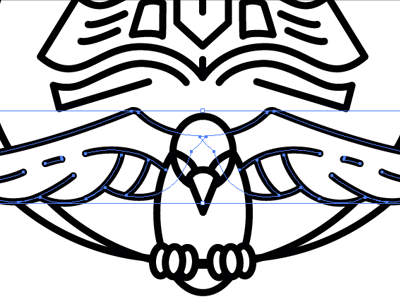
Many people liked the Revivalist image I created, so I made a comprehensive tutorial about how it was created. Hope you like it!
http://www.gomediazine.com/tutorials/thick-line-art-creating-iconic-vector-art/

10 months ago
So AWESOME!
Thx bro! Amazing work as always.
Yeees!
That was great read. thx again for posting bro.
Where is the tutorial for the "before" version of the logo? Ha
Cool! I love what you said about keeping angles consistent.
This is really good! Great work man. I just wish more clients would see this so they can understand how much work goes behind creating a logo/mark.
Thanks for sharing!
@Jeff Finley thanks for providing the tutorial!
Bro, you're so rad for this. Thanks!
Loved the tip to roughen the edges. I've been looking for an easy way to do that. Will it work with color too or do you have to do it in b/w and then redo the color with illustrator after live trace?
Great tutorial @Jeff Finley Keep them coming...
:O Great! Amazing work.
Fantastic! Thanks for sharing. I love processes and I always learn new things.
Hey @Gavin Thompson roughen works on any shape in Illustrator it doesn't matter what color.
keyboard shortcuts: ← previous shot → next shot L or F like
15 Responses
Pro
Jeff Finley
Many people liked the Revivalist image I created, so I made a comprehensive tutorial about how it was created. Hope you like it!
http://www.gomediazine.com/tutorials/thick-line-art-creating-iconic-vector-art/
10 months ago
So AWESOME!
10 months ago
Pro
Mike Jones
Thx bro! Amazing work as always.
10 months ago
Pro
Roberto Torres
Yeees!
10 months ago
Pro
Mike Jones
That was great read. thx again for posting bro.
10 months ago
Where is the tutorial for the "before" version of the logo? Ha
10 months ago
Pro
Amber Asay
Cool! I love what you said about keeping angles consistent.
10 months ago
Pro
Rovane Durso
This is really good! Great work man. I just wish more clients would see this so they can understand how much work goes behind creating a logo/mark.
Thanks for sharing!
10 months ago
Pro
Justin Nottke
@Jeff Finley thanks for providing the tutorial!
10 months ago
Pro
Joel Reid
Bro, you're so rad for this. Thanks!
10 months ago
Loved the tip to roughen the edges. I've been looking for an easy way to do that. Will it work with color too or do you have to do it in b/w and then redo the color with illustrator after live trace?
10 months ago
Pro
Tomasz Kucharski
Great tutorial @Jeff Finley Keep them coming...
10 months ago
:O Great! Amazing work.
10 months ago
Pro
Tim Lampe
Fantastic! Thanks for sharing. I love processes and I always learn new things.
10 months ago
Pro
Jeff Finley
Hey @Gavin Thompson roughen works on any shape in Illustrator it doesn't matter what color.
10 months ago