@Björn Wissing Thanks man. It's a really fun technique actually:
1) Load up a reference image of the marker in Photoshop.
2) Make two copies of the reference image, giving the second copy an opacity of 20% (this is used for tracing)
3) Make a new layer called "base". Then, using a regular hard brush and the color picker, you pick the colors from the reference image and paint them onto the low opacity reference. At this point the brush strokes are really rough and dirty, and I try to mix in some contrasting colors to give it some life.
4) Duplicate the layer you've painted in and call the new layer something like "smudged" or whatever. In this new layer you use the Mixer Brush Tool to artistically mix the rough strokes and give it all a nice painted look.
5) Lastly, I make another layer with the Screen blending mode, and with a very soft brush I subtly paint in even more contrasting colors. That just makes it pop in a cool way I think.
6 Responses
Pro
Joaquim Marques Nielsen
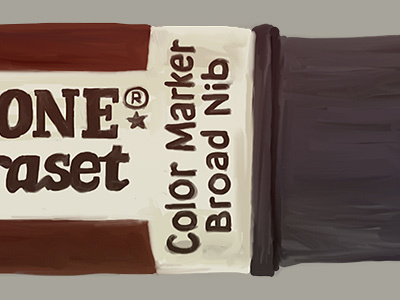
...and yet another one done. This one kind of looks like a cigar (in full view).
11 months ago
Looking good! What technique do you use?
11 months ago
Pro
Joaquim Marques Nielsen
@Björn Wissing Thanks man. It's a really fun technique actually:
1) Load up a reference image of the marker in Photoshop.
2) Make two copies of the reference image, giving the second copy an opacity of 20% (this is used for tracing)
3) Make a new layer called "base". Then, using a regular hard brush and the color picker, you pick the colors from the reference image and paint them onto the low opacity reference. At this point the brush strokes are really rough and dirty, and I try to mix in some contrasting colors to give it some life.
4) Duplicate the layer you've painted in and call the new layer something like "smudged" or whatever. In this new layer you use the Mixer Brush Tool to artistically mix the rough strokes and give it all a nice painted look.
5) Lastly, I make another layer with the Screen blending mode, and with a very soft brush I subtly paint in even more contrasting colors. That just makes it pop in a cool way I think.
Hope that helps :)
11 months ago
Pro
André Visockis
Pantone Letraset?
11 months ago
@Joaquim Marques Nielsen Thanks for the walkthrough, sound like a lot of fun!
11 months ago
Pro
Joaquim Marques Nielsen
@Andre Visockis Yup :) Pantone by Letraset.
11 months ago