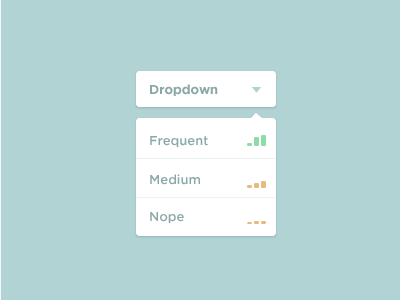
Simple Dropdown

Screen_shot_2012-06-29_at_11

25 Responses

  1. Pro Paul Ungureanu Paul Ungureanu

    When doing this style of drop down I'm always interested to see the hover state for the first item :)

    likes

    11 months ago

  2. Pro Nathan Walker Nathan Walker

    It's actually kind of scary how good you are with flat colours @Alex

    likes

    11 months ago

  3. Pro Matias Vad Matias Vad

    This is looking brilliant - Nice and simple with great colors.

    11 months ago

  4. Alex Penny Alex Penny

    @Jens Windolf damn you and your pixel vision

    11 months ago

  5. Pro Adis Adis

    What's the name of the font used?

    And great work, by the way *thumbsup*

    likes

    11 months ago

  6. Rafal Bromirski Rafal Bromirski

    Looks great! So gentle :)

    11 months ago

  7. I saw the Dropdown UI that Alex Penny did this morning and was inspired to rework it a little bit. I learnt about a few features in Photoshop I never knew of while working on this. http://goo.gl/dHWkn

    Option 2 is in the :hover state.

    PSD is attached if anyone wanted to check it out.

    EDIT: Updated the PSD to address the kerning issue between the O and the p in word 'Option'.

    11 months ago

  8. Alex Penny Alex Penny

    Well if you don't notice that something just dropped down from it, there might be something wrong with your pixels.

    likes

    11 months ago

  9. Pro Kartik Mahant  Kartik Mahant 

    Super Cool.

    11 months ago

  10. Johannes Panzer Johannes Panzer

    As @Adis said, it would be nice if you tell us the name of the font you used.
    By the way: Cool work! :)

    11 months ago

  11. I saw Alex Penny's shot this morning, and it gave me this idea. Not sure if it would actually work in it's current context, but hey, just for practice ;-)

    Couldn't find a Google+ icon that worked with this, so I whipped up my own.

    Thoughts?

    11 months ago

  12. Pro Dhiren Adesara Dhiren Adesara

    nice !

    11 months ago

  13. Daors Reka Daors Reka

    its simply the best

    11 months ago

  14. Jelle Versele Jelle Versele

    Really nice shot! clean and simple. lovely colors!

    11 months ago

  15. Pro Ricardo Salazar Ricardo Salazar

    Simple and great!

    11 months ago

  16. Pro Skyler Westby Skyler Westby

    beautiful

    11 months ago

  17. 11 months ago

  18. I've been wireframing for a month. Needed to get back into Photoshop ... that was fun. PSD attached - pardon the mess.

    11 months ago

  19. My take on this drop down. Though I think I like the flat colors a heck of a lot better. This seems to gimmicky...

    11 months ago

  20. Pro Davide Giliati Davide Giliati

    Looks great!

    11 months ago

  21. had some problems with aligning, but eventually decided to go this way..

    11 months ago

  22. 11 months ago

  23. Pro Tim Parker Tim Parker

    Can you tell me the font pleaaase? Great design.

    6 months ago

  24. Alex Penny Alex Penny

    Gotham/Proxima Nova, the best UI font

    6 months ago

  25. This will be used on the Chiffons fictitious website in the cake builder I'm designing. The light brown is the hover color.

    5 months ago

keyboard shortcuts: previous shot next shot L or F like