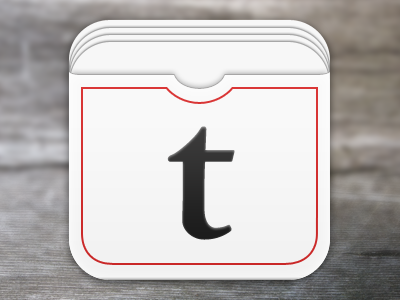
Made a bunch of corrections and added some depth to the icon for my (not so) super secret project. Think I'm getting closer, any critiques are appreciated.

It's an intriguing icon. I do feel like it could be a little more 'special'. It might look a bit 'flat' on a homescreen. Perhaps you could think about giving it some more depth by using textures etc.? Maybe make the the papers/cards darker as they're further back?
Along with making the cards a little darker as you go back, make them smaller for some perspective. The last card in the back looks like it's about to spill over its container. Also play with the shadows where they're not the same opacity for every instance. The best way to figure out how it should look is to stack some cards of your own with the same light source and recreate the light and shadow on your computer. (:
I would even add more cards, see how those look.
And maybe instead of keeping the back-cover white add in a color... Like how an actual deck of cards uses. Plus you need texture :)
The webapp I'm building this for is very clean and minimal, so I attempted to integrate the feedback from the pervious shot while maintaining that feel. Better/Worse/Not Enough?
Edit: Attached is a new and old screen grab of the icons in the iOS Simulator. Still needs to be pixel fitted but much better overall.
7 Responses
Pro
James Wilson
Made a bunch of corrections and added some depth to the icon for my (not so) super secret project. Think I'm getting closer, any critiques are appreciated.
11 months ago
Pro
Yummygum
It's an intriguing icon. I do feel like it could be a little more 'special'. It might look a bit 'flat' on a homescreen. Perhaps you could think about giving it some more depth by using textures etc.? Maybe make the the papers/cards darker as they're further back?
11 months ago
Pro
Tad Fry
Looking great! I agree with @Yummygum with the cards being a bit darker as they go backāeven if it is a 5% to 10% difference between each card.
11 months ago
Pro
Fyza Hashim
Along with making the cards a little darker as you go back, make them smaller for some perspective. The last card in the back looks like it's about to spill over its container. Also play with the shadows where they're not the same opacity for every instance. The best way to figure out how it should look is to stack some cards of your own with the same light source and recreate the light and shadow on your computer. (:
11 months ago
Pro
Juan Arreguin
I would even add more cards, see how those look.
And maybe instead of keeping the back-cover white add in a color... Like how an actual deck of cards uses. Plus you need texture :)
Maybe like this... Quick mockup: http://cl.ly/Heft
I would also work on the wrap around the cards...
Just a few pointers. But you're on the right track! :)
Here's also another one that wraps around the cards maybe?
http://cl.ly/HdEH
11 months ago
Pro
James Wilson
Thanks everyone. Some solid feedback that I'll be adding in for the next version.
11 months ago
Rebound
iOS Icon ver3
by James Wilson
The webapp I'm building this for is very clean and minimal, so I attempted to integrate the feedback from the pervious shot while maintaining that feel. Better/Worse/Not Enough?
Edit: Attached is a new and old screen grab of the icons in the iOS Simulator. Still needs to be pixel fitted but much better overall.
11 months ago