Chatterrrrrrr fixes

14 Responses

  1. Pro Kevin Anderson Kevin Anderson

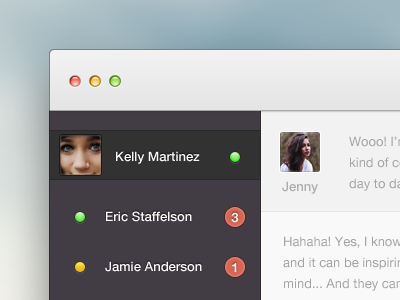
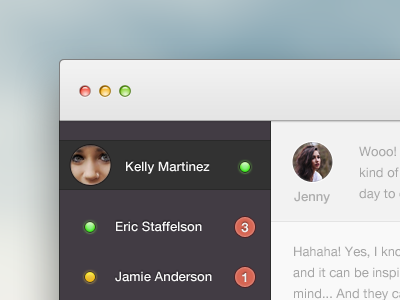
    Made the changes after some feedback. :) Well? Better? Worse?

    12 months ago

  2. Pro Haziq Mir Haziq Mir

    I like both equally. No reason.

    12 months ago

  3. Pro Steffen Nørgaard Andersen Steffen Nørgaard Andersen

    Better

    likes

    12 months ago

  4. Greg Bruening Greg Bruening

    Better but perhaps it's just how close she is that's creepin' me out :P Love the notifications next to each person!

    12 months ago

  5. Pro Kartik Mahant  Kartik Mahant 

    Much better with the profile image.

    12 months ago

  6. Darren Clark Darren Clark

    I like it!

    Although...

    Not sure on the Kelly Martinez bit, seems a bit un-necessary/confusing? Maybe it could be separated off a little better from the contacts below so there's a clear definition between you and your contacts.

    Also, I think the contrast on the text in the chat box needs increasing, it's a little difficult to read, other than that :)

    12 months ago

  7. Andrey S. Rodrigues ☝ Andrey S. Rodrigues ☝

    12 months ago

  8. Pro Spiros Mantadakis Spiros Mantadakis

    mooi!

    12 months ago

  9. Pro Mads Roland Mads Roland

    The squared image works better when there're so few pixels for the actual image. Nice work!

    12 months ago

  10. Pro Zan | ninetofive.me Zan | ninetofive.me

    This is it. Slick!

    12 months ago

  11. Pro Michael Wong Michael Wong

    Awesome. Would darken the chat messages tho, they're the focus of the chatter, right?

    12 months ago

  12. Pro Tanveer Junayed  Tanveer Junayed 

    Like it. Nice colors.

    12 months ago

  13. Pro Wil Nichols Wil Nichols

    Improving, but doesn't fix a few things. People lack screen estate; why waste it with a x200% toolbar and sidebar? :/

    12 months ago

  14. Pro Jip Jip

    The content text is really low contrast. Would make it a lot darker to make it good visible even when lower brightnesses ;)

    Looks good though!

    likes

    11 months ago

keyboard shortcuts: previous shot next shot L or F like