David, I would love to know your process for starting/working on this grid. The transformation from original drawing to this is simply amazing. Great work!
@Nicholas Hendrickx, @Mario Azzi You can turn a line, a path or any kind of shape into a guide in Illustrator, by selecting it and hitting command/control + 5.
@Mario They are all drawn and calculated by hand. No plugins used :^)
@James I may consider such a thing if there is enough demand for the boutique part of the new site. Open to any suggestions for the screen grabbing too (on Mac).
@Jeremiah@Nicholas There are some intermediary steps in between this and the past shot, maybe I will attach them - time allowing.
@Paul there is no definitive way however you will see in the previous shot how geometric my basic direction defining sketch was. Break elements down into small,manageable shapes all in keeping the big picture in mind and you will be onto a good start.
@David Pache Mate, you want to take on a student? I want to learn how you do this, it blows my mind. Colour and concept 10++++++++++....and its still only a WIP...get out of town!!!
31 Responses (page 1 of 2)
Pro
David Pache
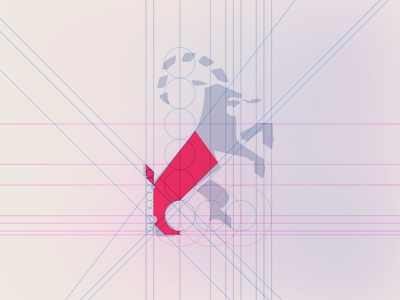
Reworking the symbol into it's own grid. The gray portion is the next phase to complete.
3 months ago
Pro
Deividas Graužinis
very good gridlines. can't wait to see finished version
3 months ago
David, I would love to know your process for starting/working on this grid. The transformation from original drawing to this is simply amazing. Great work!
3 months ago
Pro
Paulius Kairevičius
I see that this one is going to be sick!
3 months ago
Those gridlines are crazy! How did you define them?
3 months ago
Nice:)
3 months ago
Pro
James ✌
Would honestly love to see how you do this in a video tutorial or something. This just looks crazy.
3 months ago
Pro
Mario Azzi
I assume those diagonal grid lines are drawn? or is there a plugin or something to achieve those? I really appreciate an answer.
3 months ago
Pro
Jason Tiernan
Looking forward to seeing this one complete!
@Nicholas Hendrickx, @Mario Azzi You can turn a line, a path or any kind of shape into a guide in Illustrator, by selecting it and hitting command/control + 5.
3 months ago
Pro
David Pache
Thanks for the comments so far!
@Mario They are all drawn and calculated by hand. No plugins used :^)
@James I may consider such a thing if there is enough demand for the boutique part of the new site. Open to any suggestions for the screen grabbing too (on Mac).
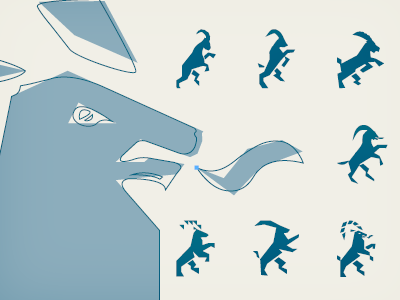
@Jeremiah @Nicholas There are some intermediary steps in between this and the past shot, maybe I will attach them - time allowing.
3 months ago
@David Pache I’m sure a Method & Craft video tutorial would be a super useful gift to the community.
3 months ago
@Jason Tiernan Yeah I did know that, I just meant how to decide the angles, distances,... Thanks though :)
@David Pache I'm surely interested to see how it was achieved!
3 months ago
Pro
Ahmed Chergaoui
What @Joshua Blankenship said :]]
3 months ago
How do you manage to create such grids? I sure need a lot of practice.
3 months ago
Pro
David Pache
@Paul there is no definitive way however you will see in the previous shot how geometric my basic direction defining sketch was. Break elements down into small,manageable shapes all in keeping the big picture in mind and you will be onto a good start.
@Joshua something to consider for sure.
Looking back on this I notice the "sirloin" line is way off :^)
3 months ago
This is pure magic! You can count me in for watching how-to video.
3 months ago
Pro
Mario Azzi
Wow thanks for the tips guys! Amazing
3 months ago
Pro
Timothy Achumba
It's amazing the way you do what you do!
3 months ago
Pro
Josh Fabian
I'd watch the hell out of a video as well. ;)
3 months ago
Pro
Richard Tabor
Intense. :)
3 months ago
Pro
Dean Hudson
This is brilliant. Love the precision in your work, David!
3 months ago
Pro
Chris Sharp
Like the direction this has gone in David, makes so much more sense seen as a whole.
3 months ago
+1 for the tutorial idea, I never know where to put the guide lines for doing this sort of thing. If you do make one, make it better than this one:
http://short-jokes-quotes.com/images/draw-an-owl.jpg
;)
3 months ago
Pro
Matt Jackson
Fantastic, David.
3 months ago
Pro
Fabian Marchinko
@David Pache Mate, you want to take on a student? I want to learn how you do this, it blows my mind. Colour and concept 10++++++++++....and its still only a WIP...get out of town!!!
3 months ago