60035_464256991457_770281457_6707990_2026568_n

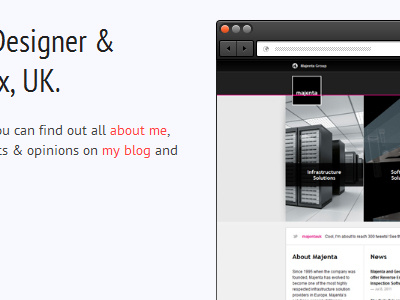
Browser Chrome in Context

5 Responses

  1. 60035_464256991457_770281457_6707990_2026568_n Mark Tyrrell

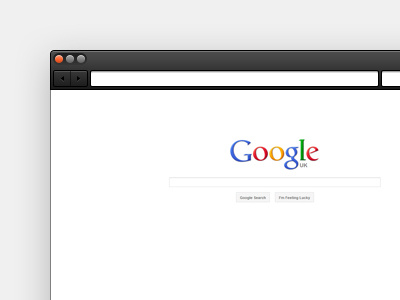
    Here is the browser chrome in context. I've made the buttons a bit lighter to define them a bit more. It's also going to be responsive/fluid, using the sliding doors technique.
    11 months ago

  2. Pro 1951abeab533e1dc5d6aa4f8c1e8d504 Alden Haley

    Much better with the back/forward buttons. Welcome to Dribbble Mark!

    11 months ago

  3. Pro Me Anthony Killeen

    Will echo @Alden's comment. The buttons look better. They're more distinguishable now :)

    This looks good in context too. I'd perhaps add a drop shadow (just a slight one, with a fair amount of blur so it's subtle to the image.

    11 months ago

  4. 60035_464256991457_770281457_6707990_2026568_n Mark Tyrrell

    Thanks guys, a drop shadow is the plan, it just depends on how easy it is to implement in the layout. Using a flexible grid has introduced some minor limitations.

    11 months ago

  5. Pic Theo Wiersema

    There's always css3 for the drop shadow :D.

    11 months ago

keyboard shortcuts: previous shot next shot L or F like