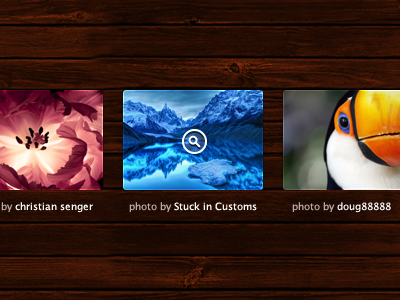
Shot_1299733699

10 Responses

  1. Pro Chris Wallace! Chris Wallace!

    Whipped this up for Day 352.

    about 2 years ago

  2. Pro Shaun Moynihan Shaun Moynihan

    Nice work Sir Wallace... not bad for just whippin' it up =]

    about 2 years ago

  3. Michel Bozgounov Michel Bozgounov

    Like it!

    Wondering if this can be translated easily into HTML and CSS2.1/3.0... :)

    likes

    about 2 years ago

  4. Pro Mads Ejsing Mads Ejsing

    Is looking great - neat background.

    about 2 years ago

  5. Maria Frey Maria Frey

    Nice work! You've "whipped it good"

    about 2 years ago

  6. Pro BBXWeb BBXWeb

    Lovely!
    @ Michel Inner shadow isn't possible at pictures is that right?

    about 2 years ago

  7. Michel Bozgounov Michel Bozgounov

    @Jari:

    However, you can create a DIV with a half-transparent border and place it on top of the image, right? :)

    Only issue I am not sure is that easily resolvable is to have slightly rounded corners on the images, but I bet someone already thought of a good way of doing it (of course, I mean, for modern browsers only -- IE can still show simple borders)... :)

    about 2 years ago

  8. Pat Dryburgh Pat Dryburgh

    Yes!

    @Jari & Michel: This effect is possible if you use Trent Walton's approach.

    HTML:

    <div class="imgwrap">
    <img src="img.jpg">
    </div>

    CSS:

    .imgwrap { box-shadow:inset 0px 0px 1px rgba(255,255,255,.5); -webkit-box-shadow:inset 0px 0px 1px rgba(255,255,255,.5); -moz-box-shadow:inset 0px 0px 1px rgba(255,255,255,.5); }

    .imgwrap img { position: relative; z-index: -1 }

    likes

    about 2 years ago

  9. Michel Bozgounov Michel Bozgounov

    @Pat:

    Thanks! I knew it was possible! I'll try this technique one of these days... :)

    about 2 years ago

  10. Craig Keller Craig Keller

    @Pat, the stable version of the box-shadow should come last in the cascade, otherwise the unstable versions will perpetually overrule it. Otherwise, thats what i use ;)

    about 2 years ago

keyboard shortcuts: previous shot next shot L or F like